> ## Documentation Index
> Fetch the complete documentation index at: https://docs.rdsnode.com/llms.txt
> Use this file to discover all available pages before exploring further.
# Activar FakeIP en Unturned
> Guía rápida para activar FakeIP en un servidor de Unturned editando el archivo Config.txt.
# Activar FakeIP en Unturned
FakeIP permite que tu servidor de **Unturned** se anuncie correctamente en Steam cuando usas **IP compartida, NAT o no tienes port forwarding**.
***
## Cómo activar FakeIP
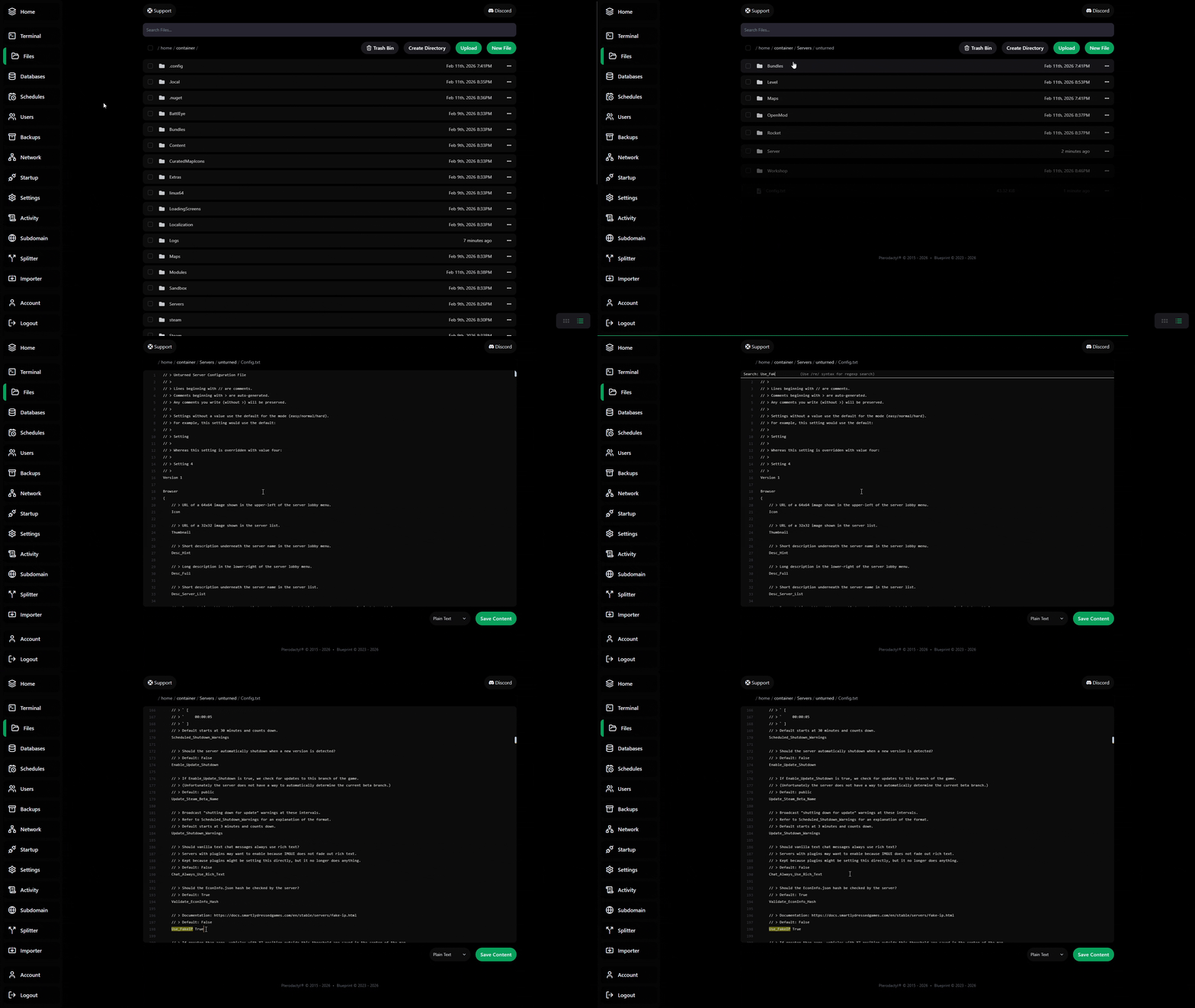
1. **Apaga el servidor** desde el panel.
2. Abre el archivo `Config.txt`.
```
Ruta:
/home/container/Servers/unturned
```
3. Busca la línea: (CTRL + F)
```json theme={null}
Use_FakeIP
```
4. Déjala de la siguiente forma:
```json theme={null}
Use_FakeIP True
```
5. Guarda los cambios e inicia el servidor.
Para saber la nueva IP utiliza el comando 'CopyFakeIP' en consola o en el juego