> ## Documentation Index
> Fetch the complete documentation index at: https://docs.rdsnode.com/llms.txt
> Use this file to discover all available pages before exploring further.
# Cómo agregar un link de Discord en Unturned
> Guía rápida para mostrar un enlace de Discord en la lista de servidores de Unturned.
# Cómo agregar un link de Discord en Unturned
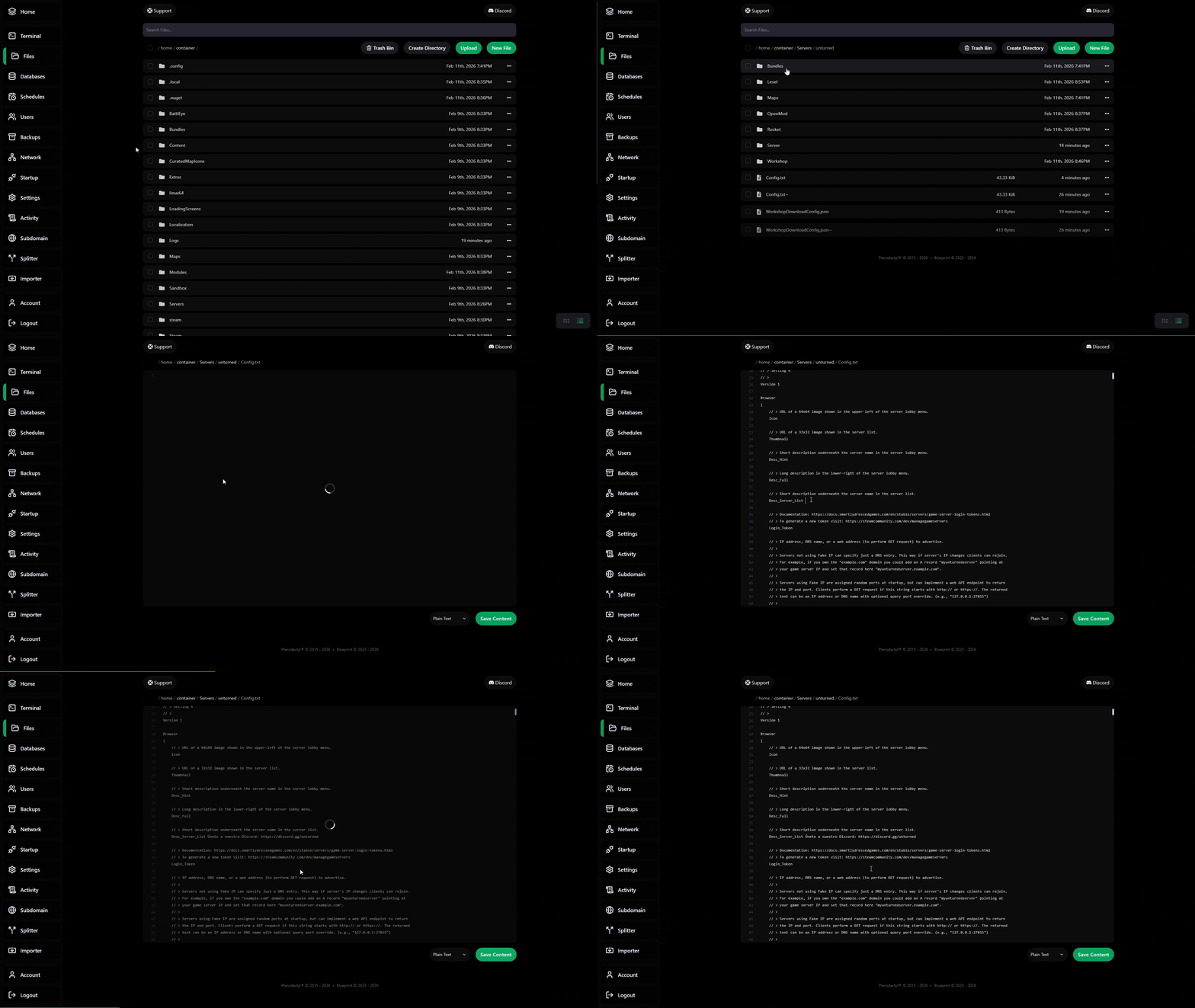
1. **Apaga el servidor** desde el panel.
2. Abre el archivo `Config.txt`.
```
Ruta:
/home/container/Servers/unturned
```
3. Edita la línea `Desc_Server_List` y agrega tu Discord
```json theme={null}
Desc_Server_List
```
Ejemplo:
```json theme={null}
Desc_Server_List Únete a nuestro Discord: https://discord.gg/unturned
```
4. Guarda los cambios e inicia el servidor.