> ## Documentation Index
> Fetch the complete documentation index at: https://docs.rdsnode.com/llms.txt
> Use this file to discover all available pages before exploring further.
# Cómo agregar mods en Unturned
> Guía para instalar mods en un servidor de Unturned usando Steam Workshop en un panel de RDSNode.
# Cómo agregar mods en Unturned
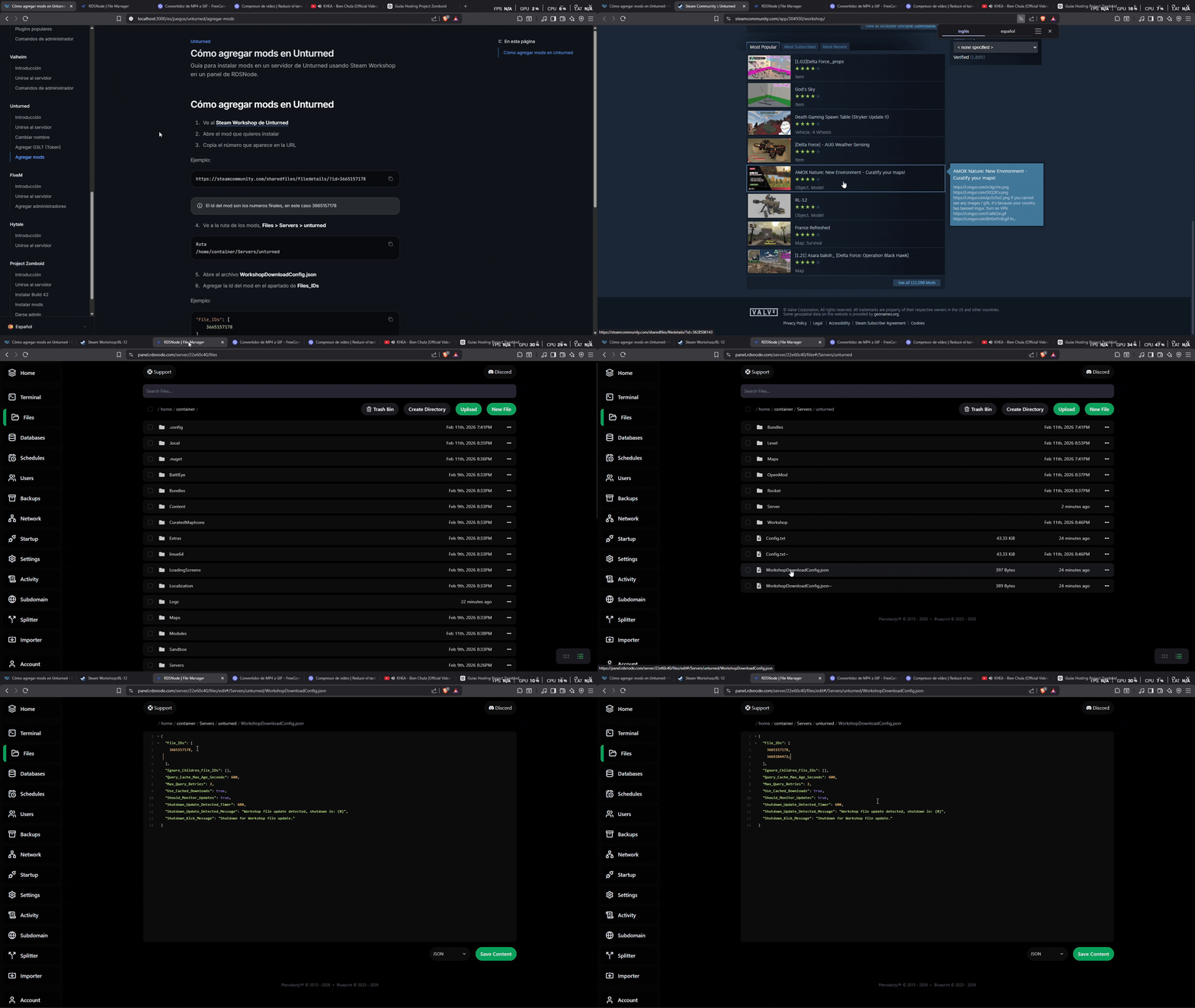
1. Ve al **[Steam Workshop de Unturned](https://steamcommunity.com/app/304930/workshop/)**
2. Abre el mod que quieres instalar
3. Copia el número que aparece en la URL
Ejemplo:
```
https://steamcommunity.com/sharedfiles/filedetails/?id=3665157178
```
El id del mod son los numeros finales, en este caso 3665157178
4. Ve a la ruta de los mods, **Files > Servers > unturned**
```
Ruta
/home/container/Servers/unturned
```
5. Abre el archivo **WorkshopDownloadConfig.json**
6. Agregar la id del mod en el apartado de **Files\_IDs**
Ejemplo:
```json theme={null}
"File_IDs": [
3665157178
],
```
Si se requiere más de un mod debe concadenarlo con comas (,)
Ejemplo:
```json theme={null}
"File_IDs": [
3665157178,
123456789
],
```
7. Guarda el archivo e inicie su servidor.